Two rigs at a trailhead outside Battle Mountain. You get to talking about tire pressure, then about a road neither of you has driven, and by the time everybody's packing up you'd genuinely like these people in your Circle.
Here's how that used to go. You spell out the Circle name. They squint at their phone and search for it. They send a request. It sits there until you happen to open your notifications, which on a good week is Thursday. Three steps, two people, and about four places for it to quietly die.
Now you send them a link.
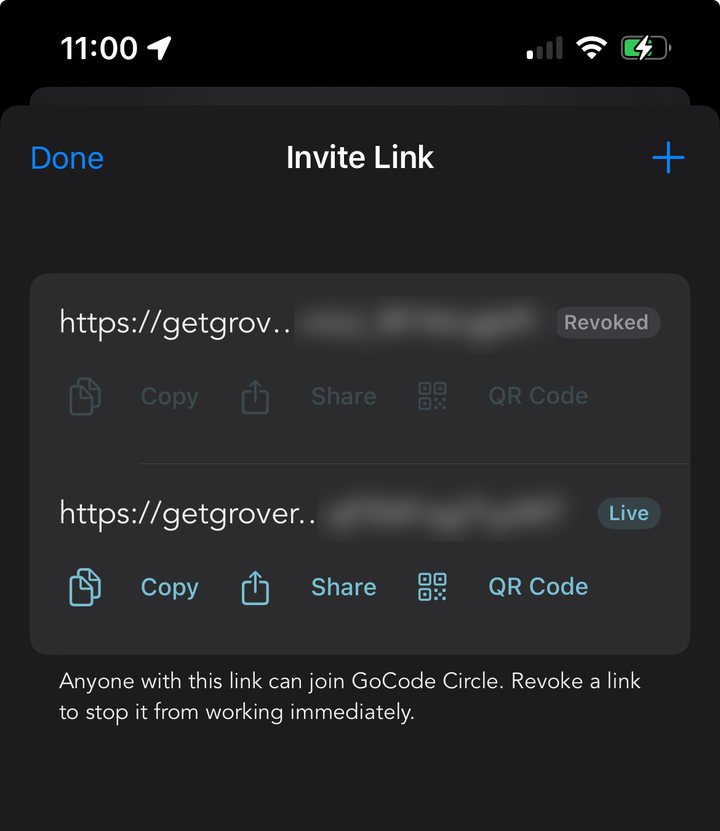
Two links, one live and one revoked. Copy it, share it, or turn it into a QR code.
Making a Link Takes About Four Seconds
If you're the Grovenor, the person who created the Circle, open it and tap Invite Link & QR. Grover makes you a link on the spot. From there you get Copy, for dropping it into a text or a group chat, and Share, which hands it to the normal share sheet so it can go wherever you send things.
The link does the whole job by itself. Somebody taps it, Grover opens on your Circle, and they're a member right then. Nothing lands in your notifications waiting for a thumbs up, which means the invite still works after you've driven off and forgotten you sent it.
You can make as many as you want. One for the group chat, one for the person you met at the trailhead, one for the flyer at the shop.
The QR Code Is the One You'll Actually Use
Tap QR Code on any live link and Grover draws one on your screen. Somebody points their camera at it from across a fire ring and they're in, which is a much better experience than reading a URL out loud over a generator.
It's also the one to reach for when you're standing at a booth, running a meetup, or handing your phone across a picnic table. No typing, no spelling, nobody has to hear you say "lowercase g, dash, no, dash."
And You Can Shut the Door
Anyone holding a live link can join, so the important half of this feature is being able to take it back. Every link in the list has a Revoke, and the moment you use it that link is dead. It stays in your list marked Revoked, greyed out, so you can see what you've handed out and what you've since closed.
Treat a link like a spare key. A live link works for anyone who ends up holding it, including people three forwards down a group chat you're not in. That's usually the point. When it stops being the point, revoke it and make a fresh one, which takes about as long as reading this sentence.
What They Land In
A Circle is a feed of pins from your people. Not the whole internet's opinion of a place, just the spots the people you actually ride with thought were worth marking. Somebody drops a pin on open BLM land outside Battle Mountain with a note about how much room there is, and it shows up for everyone in the Circle with directions one tap away.
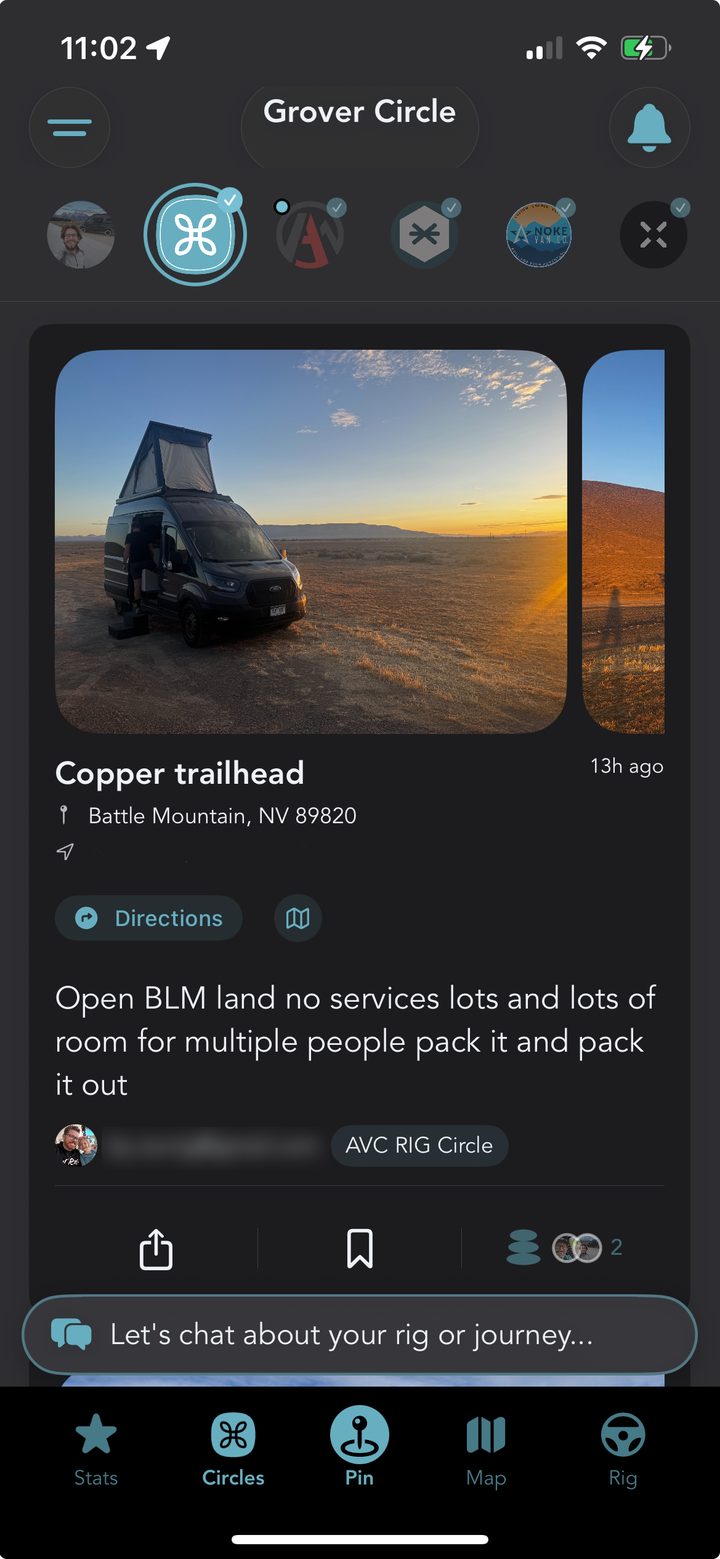
The Circles feed, and the new bottom bar that got them there in one tap.
That feed also got easier to reach in this release. Circles has its own spot on the new bar across the bottom of the app, next to Stats, the pin button, Map and Rig, so getting to your people no longer depends on where you happened to be standing in the app.
If Circles are new to you, the full introduction to Club Circles covers what they are, what a Grovenor can do, and why we named it that. And if you want to see what one looks like when it's working, read how the Adventure Together crew uses theirs.
On Availability
Invite links and QR codes are live on iOS now. Android is coming very soon. In the meantime an Android friend who taps your link lands on a page showing the Circle, with a way into the app from there.
Send One Invite Tonight
Open your Circle, tap Invite Link & QR, and send it to one person you met this summer and meant to keep up with. A Circle is only as good as who's in it.