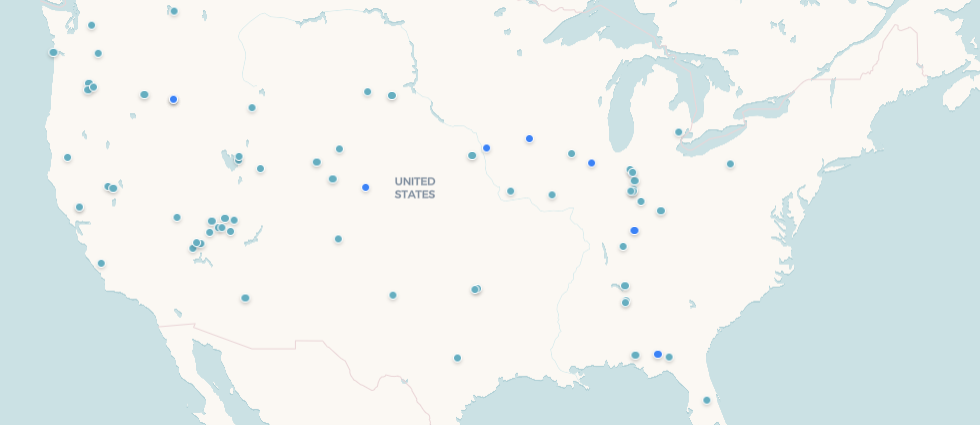
The best vanlife adventures happen when you know exactly where you're allowed to be. For vanlifers who love to hunt, fish, hike, or simply find spectacular terrain away from the crowds, access to private and managed recreational land has always been the puzzle. That's why we're excited to tell you about the new LandTrust layer now live on the Grover map.
LandTrust is a platform that connects outdoor enthusiasts with landowners who open their property for recreational use — think private ranches, waterfront fishing access, remote meadows perfect for dispersed camping, and backcountry terrain that doesn't show up on any public land map. It's a whole category of places that was invisible to vanlifers before — and now it shows up right alongside your community pins, bucket list spots, and saved locations inside Grover.
Through our partnership with LandTrust, we've brought their recreational property data directly into the Grover map so you can see properties as you scroll, filter them by the activities that matter to your trip, and read rich detail cards without ever leaving the app. Everything you need to evaluate a property and plan your visit is available before you pull out of the driveway.
"There's so much incredible land out there that most vanlifers never discover because they don't know it's accessible. This integration is about changing that."
A New Layer Right in Your Toolkit
The LandTrust layer lives in the Grover filter bar alongside your other map layers. Toggle it on and properties appear as distinct pins across the map — easy to tell apart from community-submitted spots so you always know what kind of place you're looking at.
As you zoom into a specific region you're planning to visit, individual properties resolve clearly so you can start making quick decisions about what's worth a closer look. The experience is designed to stay fast and readable no matter how many properties are in view.
The LandTrust layer is fully toggleable. Turn it on when you're scouting new territory, off when you want to focus on community pins alone. You're always in control of what's visible.
Because LandTrust properties span a huge range — from small private fishing ponds to sprawling ranches — the map adapts to give you the right level of detail at whatever zoom level you're working from.
Detail Cards That Answer Your Real Questions
Tapping a LandTrust property opens a full detail sheet — not a stub that ships you off to a browser mid-scroll. Inside you'll find photos of the actual property, a description of the land and terrain, and a breakdown of available activities so you know upfront whether it fits your plans.
We've seen too many "surprise discovery" moments turn into disappointments because the only information available was a name and a coordinate. The detail cards are built to be decision-ready: imagery of the terrain, what you can do there, and enough context to know whether it's worth the detour. If it is, a tap takes you to the LandTrust listing to handle access arrangements.
Descriptions are collapsible too, so you can scan the essentials fast on a property you're considering or dig deep when one really grabs you.
How to Start Exploring LandTrust Properties in Grover
- Open the map in Grover and tap the filter bar.
- Enable the LandTrust layer — properties appear as pins across your current view.
- Use the activity filters to narrow results to what fits your trip.
- Tap any property to open the detail card with photos, description, and available activities.
- Continue to LandTrust directly from the card to arrange access for your visit.
The LandTrust layer works alongside everything else already on your Grover map — community pins, personal bucket list spots, and locations saved from previous chats with your agent. You don't need to juggle multiple apps to see the full picture of what's available in the places you're heading to.
We built Grover to help you reach joyful outcomes faster, and finding the right land to explore is a huge part of that for so many vanlifers. The LandTrust layer is one of the most significant expansions to the Grover map we've shipped, and we're excited to see where the community takes it. If you're heading somewhere new this season, fire up the map and see what opens up. If you want to make sure a great spot lives on the community map after your visit, check out how to add your first pin to the Trophy Map.
Ready to Find Your Next Adventure?
Download Grover and open the LandTrust layer on your map. Thousands of properties across the country are waiting to be explored.