The person who knows the best spot is usually standing in it. Your shop lead on a shakedown run. The owner who started a club for your rigs and drags everyone to the same canyon every spring. Until now, posting that spot as a target meant getting back to a laptop and opening the portal.
Not anymore. Anyone who leads a Circle in Grover, a Grovenor, can post a target straight from the app on iPhone and Android. It takes about a minute, and every member of that Circle hears about it.
Post a Target From Your Phone
Open your Circle and tap the + button. Grovenors see Target next to the other things they can post. Give the place a name and a short description, drop it on the map, and add photos. You can add up to six, and the first one is the cover.
Two optional extras make a target work harder. A date window turns it into a rally weekend or a seasonal spot. A link button sends members wherever you want them next: the RSVP form, the campground booking page, your build gallery. You pick the button's label and the web address it opens.
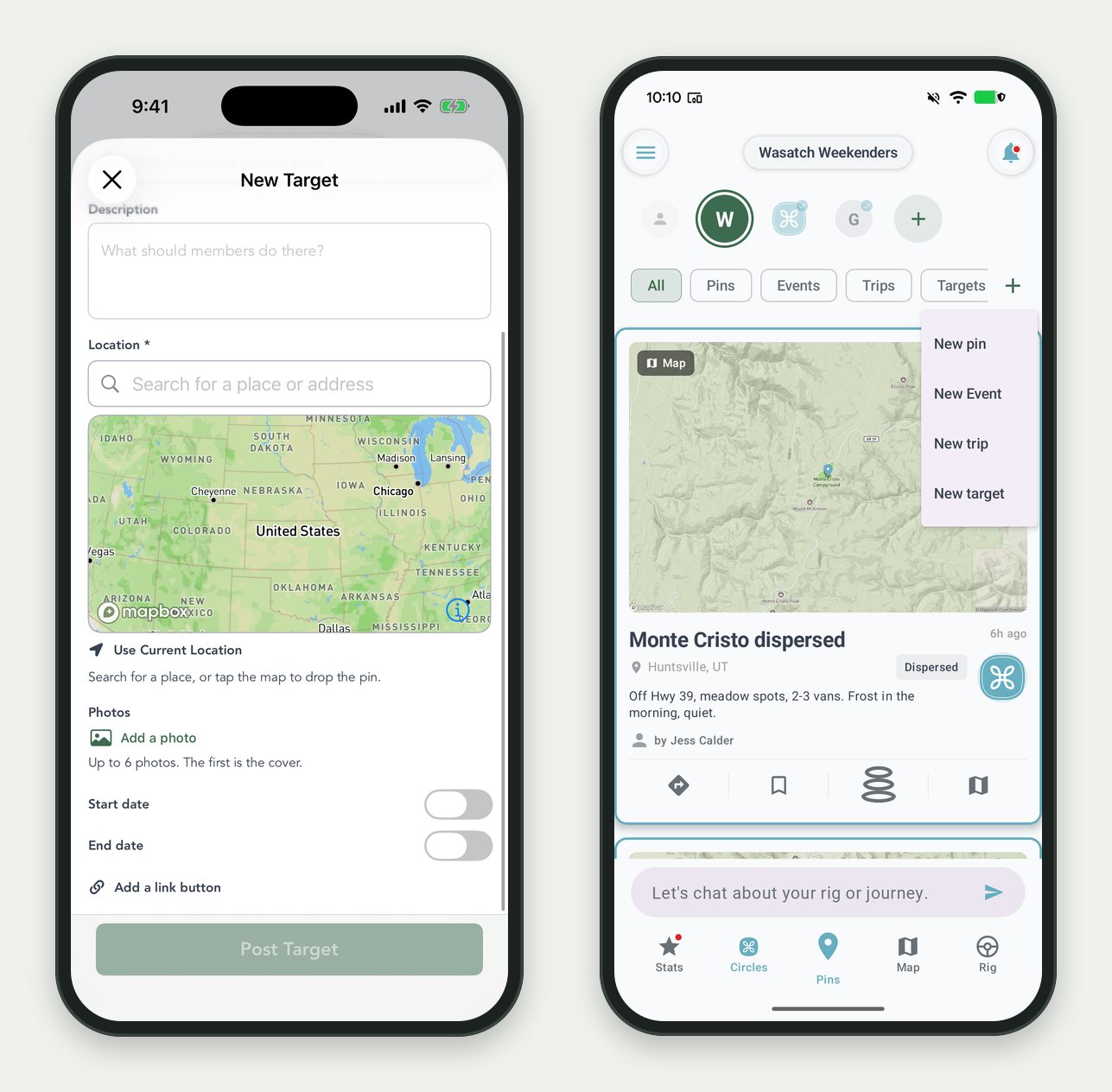
Left: the New Target form on iPhone. Right: New target in a Circle's + menu on Android.
Changed your mind about the meeting spot? Edit it from the same place. When the weekend is over, retire it.
Turn a Great Pin Into a Target
Some of the best targets are already in your Circle as pins. Someone found the spot, took the photo, and shared it. Now a Grovenor can tap Make a pin a target, pick a pin that was shared into the Circle, and post it as a target with its place already filled in.
Photos follow the owner's permission. A Grovenor's own pin brings its photos along. Someone else's pin becomes a target without their photos, and the app says so up front before anything is posted.
What Members See
A Circle's feed now shows events, targets and trips beside the pins, each as its own card, with a filter row up top for jumping straight to Events or Targets. A new target lands there with its photos, its description, and your link button. Members get a notification, can add it to their bucket list in one tap, and see it on their map. When they get there and drop a pin from a photo, it counts toward the target.
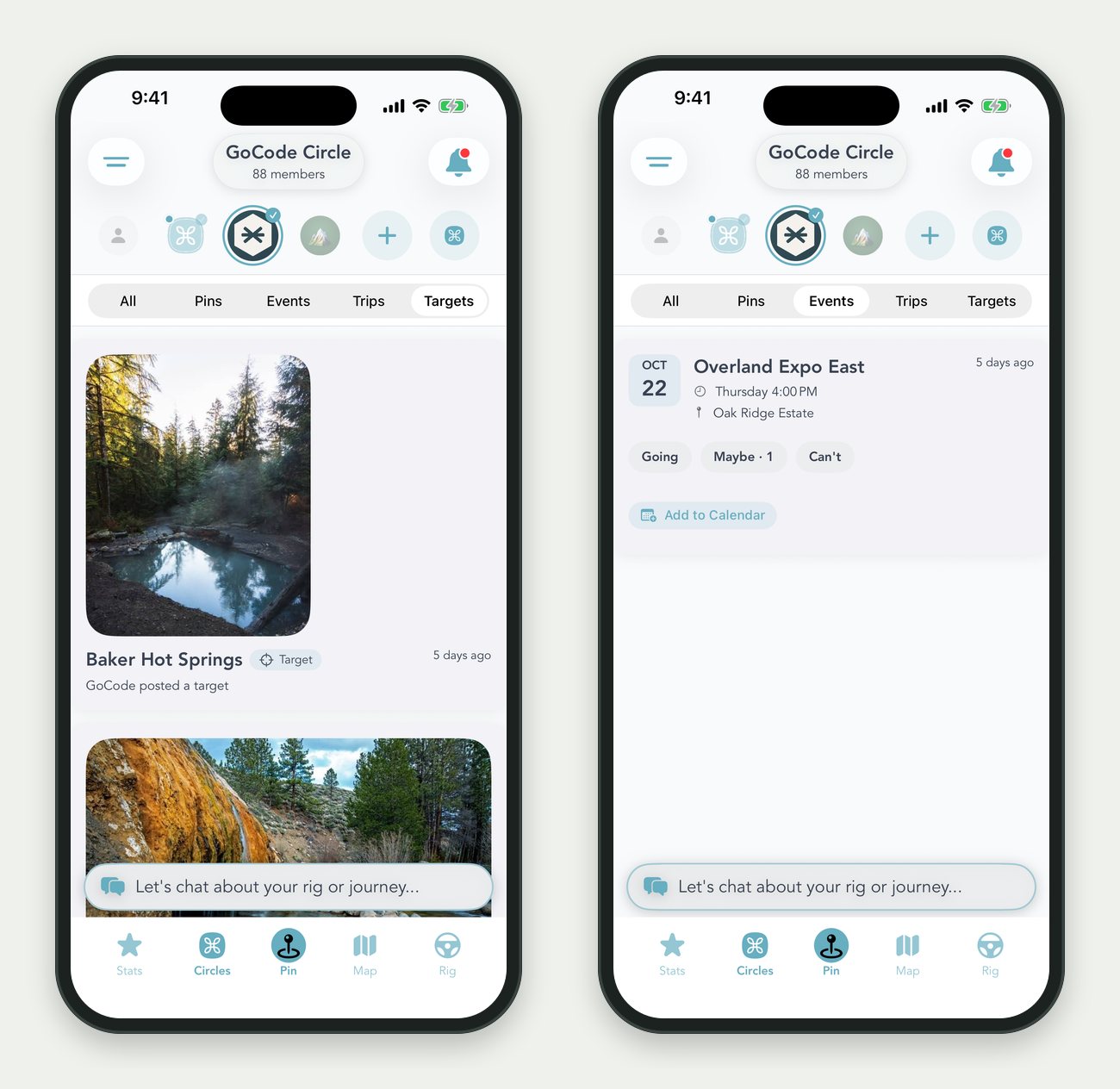
A Circle's feed, filtered to Targets and to Events.
Members can report a target the same way they report a pin, and anyone they have blocked never sees the targets that person posts.
And in Your Portal
Brand targets in the portal picked up the same upgrades. Each target now holds up to six photos, you frame the cover before it uploads, and you can build a target from a pin in one of your Circles. A pin's photos come along only when its owner has granted your company permission to use them. Otherwise the target gets the place and you add your own photos.
Link buttons on brand targets and on Circle events are set through the Claude connector for now. Ask Claude to add a "Register" button to your next event and it does.
For how brand targets work end to end, including the completions gallery, read Brand Targets: Give Your Owners Somewhere to Go.
Honest Notes
Members only. A Circle's targets show to that Circle's members and nobody else. The big Grover Circle that everyone joins doesn't take targets.
Twenty-five at a time. A Circle can hold up to 25 open targets. Retire old ones to make room.
Current app required. Posting from the phone needs Grover 1.3.7 or newer on iPhone or Android. Both stores have it now.
No prizes. Grover never attaches money or rewards to a target. If you want to run a giveaway around one, that part is yours.
Where to Start
Ask whoever leads your Circle to post one place this week: the spot every new owner should see once. Then watch who adds it to their bucket list.
Want Help With Your First One?
Grab a slot and we will set up a target together, from the app or the portal. Takes a few minutes.
Schedule a Success Call