Version 1.2.9 is out, and the headline feature is the one you'll feel the second you tap the search bar: it now looks in your world first, not just the map's.
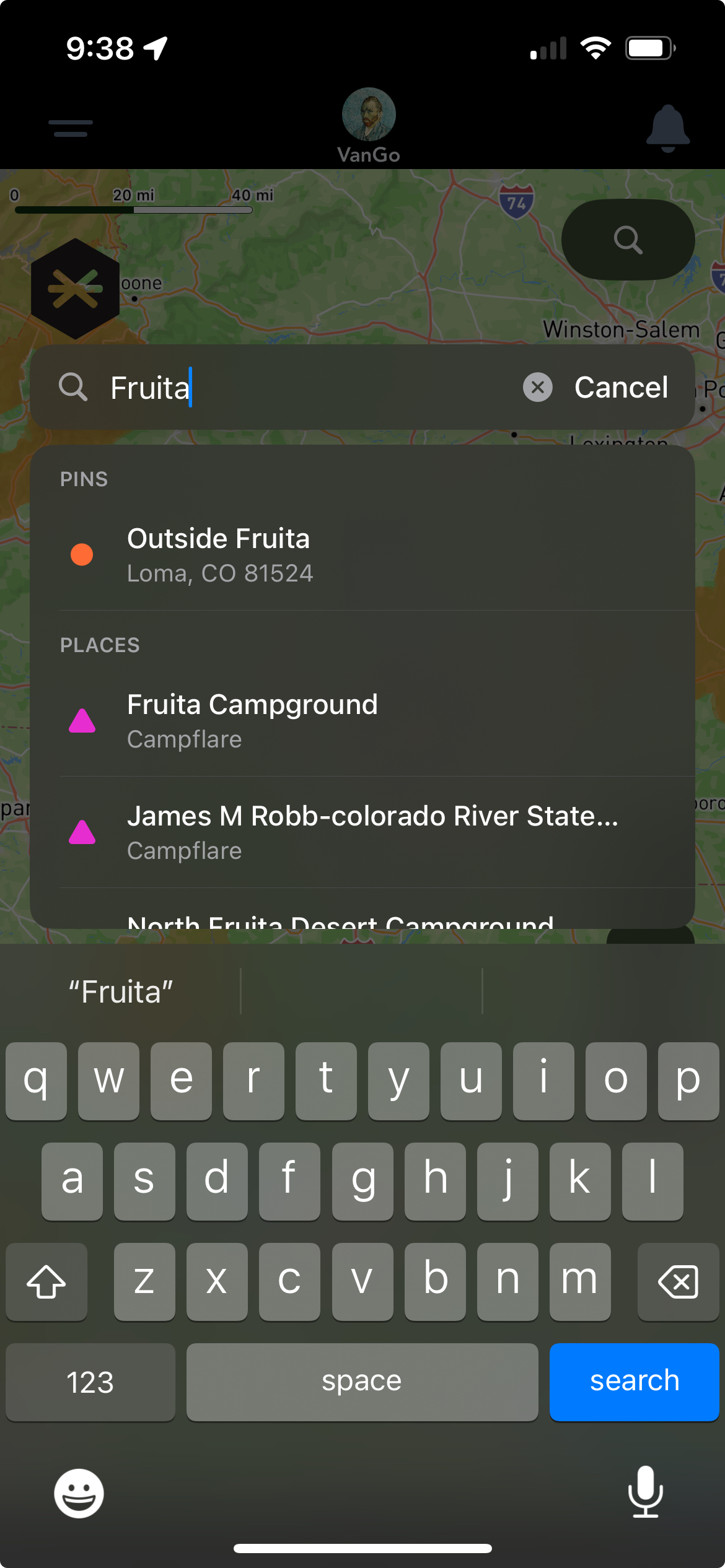
One search, two sources: your own pins and Grover partner places, side by side.
Search on the Grover map has always been able to find a town, an address, or a park, that part uses the same search Apple Maps runs on under the hood. What's new is everything search now checks first: your own pins, your Circle's pins, and Grover partner places all get searched too, and the top 5 most relevant matches from that world show up right at the top of your results, ahead of the usual map POIs.
And it doesn't need you to spell things perfectly, either. Typo, dropped letter, words in the wrong order, it doesn't matter. Type "campground watchman" and Grover still finds Watchman Campground.
Your world, searched first. Your pins, your Circle's pins, and Grover partner places now show up before the generic map results, scoped so you only ever see what's actually yours to see.
It sounds small until you're the one squinting at a keyboard while someone else is driving. Now the thing you're actually looking for shows up before you have to scroll for it.
Edit Pins Right From the Feed
You no longer have to hunt down a pin on the map just to fix a typo or update a note. Edit and delete are both available directly from the pin feed, and the change shows up everywhere immediately, on the map, in the feed, wherever that pin lives.
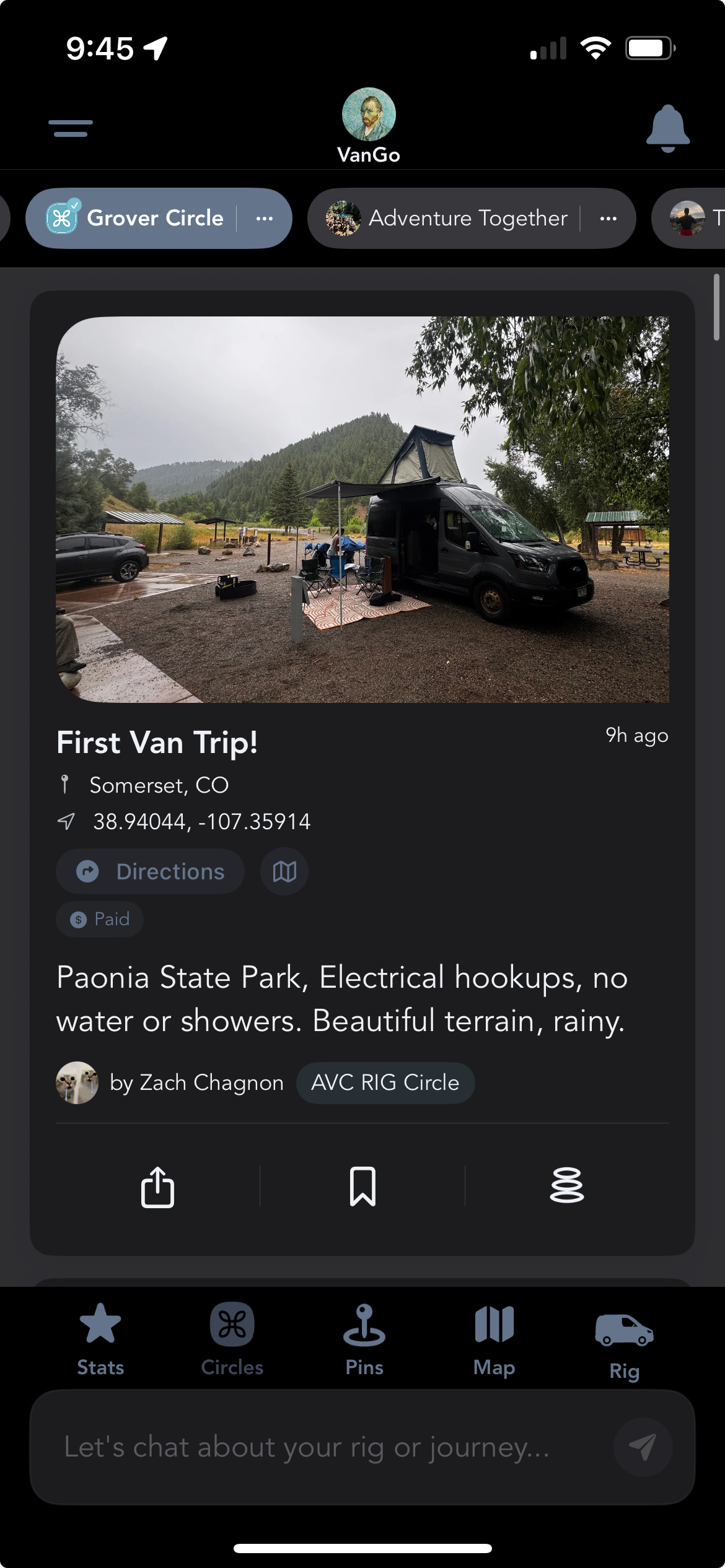
The map icon on any feed card jumps you straight to that pin, no searching required.
We also added a direct-to-map button in the feed, so if you do want to see exactly where a pin sits, one tap takes you straight there.
A Cleaner Map, Top to Bottom
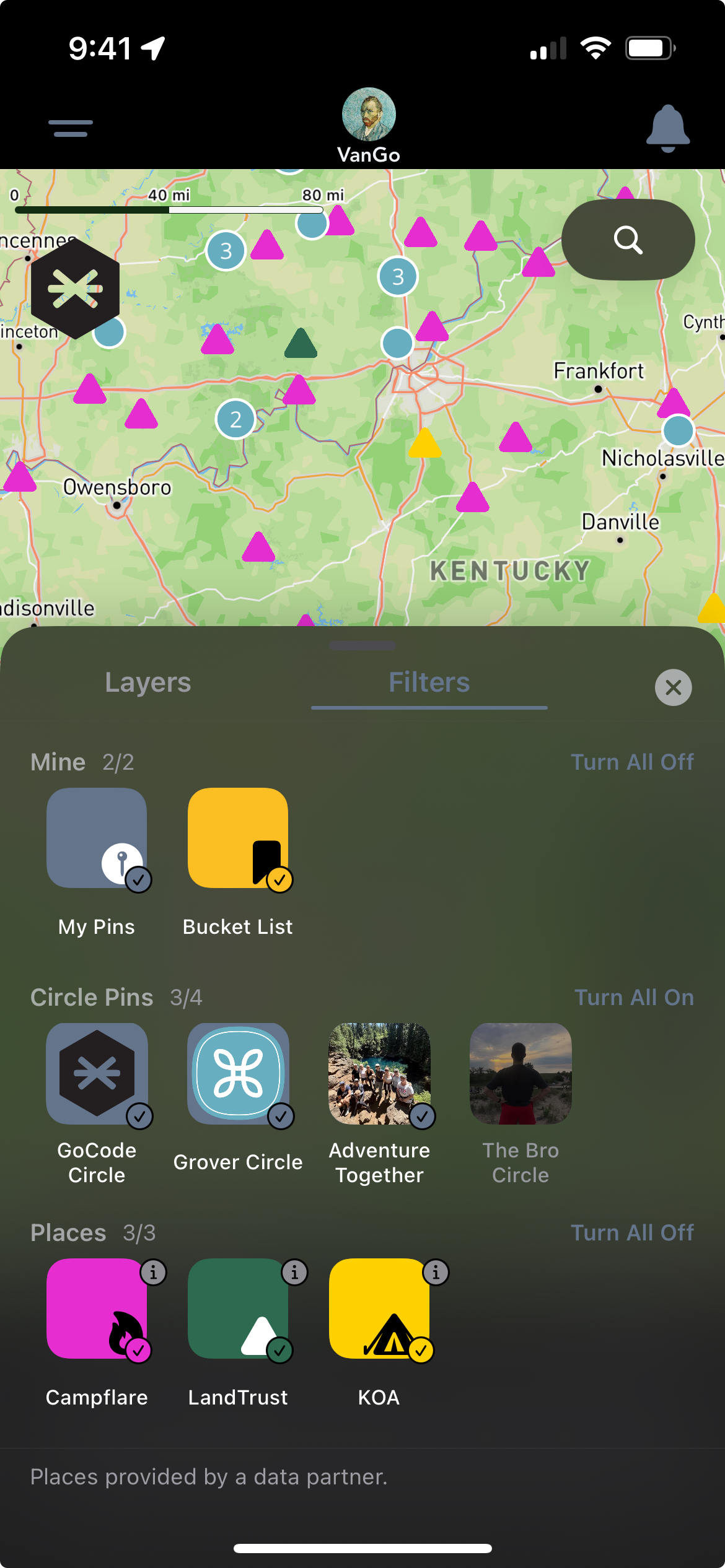
Layers and filters finally live in one place: your pins, your Circles, and every partner layer.
The layers and filters drawer got a real cleanup. What used to be split across separate menus is now one clear, unified place to control what shows up on your map, community pins, Campflare campgrounds, LandTrust properties, and everything else.
Circles got a pass too. Longer circle descriptions now expand and collapse instead of running on forever, so your Circle's page stays easy to scan.
None of these are flashy on their own. Together, they make the app feel like it finally gets out of your way.
Small changes add up fast when you're using an app every day on the road. Between search that works, edits that stick without extra taps, and a map that's easier to read at a glance, 1.2.9 is about the everyday experience, not any one big feature. Android isn't far behind, an update with mostly the same improvements is coming by the end of the week.
Don't have this yet? Make sure automatic updates are turned on in the App Store or Google Play so Grover updates itself the moment new features ship, no need to check back and update manually.
Ready to Find What You're Actually Looking For?
Download Grover and try the new search for yourself.