Somebody asks how the summer went. You could scroll back through a thousand photos. Or you could hand them your Season Ticket: every state you camped in, colored in on the map, and a stamp for each stretch of public land you slept on.
That's the headline of Grover 1.3.9 on iPhone and Android. Along with it, Grover now makes a moment of every new state, puts your circle's campouts right on your map, and lets you move a bucket list spot into a real trip.
Your Season Ticket
Open your profile and share your Season Ticket. It's one tall card, sized for a story, with:
- Every state you camped in, colored in on the map.
- A round stamp for each public land you stayed on: national forests, BLM land, parks and more, from your passport.
- Your rig and your circle, riding along.
Pick this season, an earlier one, or all time. Then send it straight to your Instagram or Facebook story, or save it and post it anywhere. Only been out a couple of times this year? The states around yours show up as uncharted, which is really just a list of where to go next.
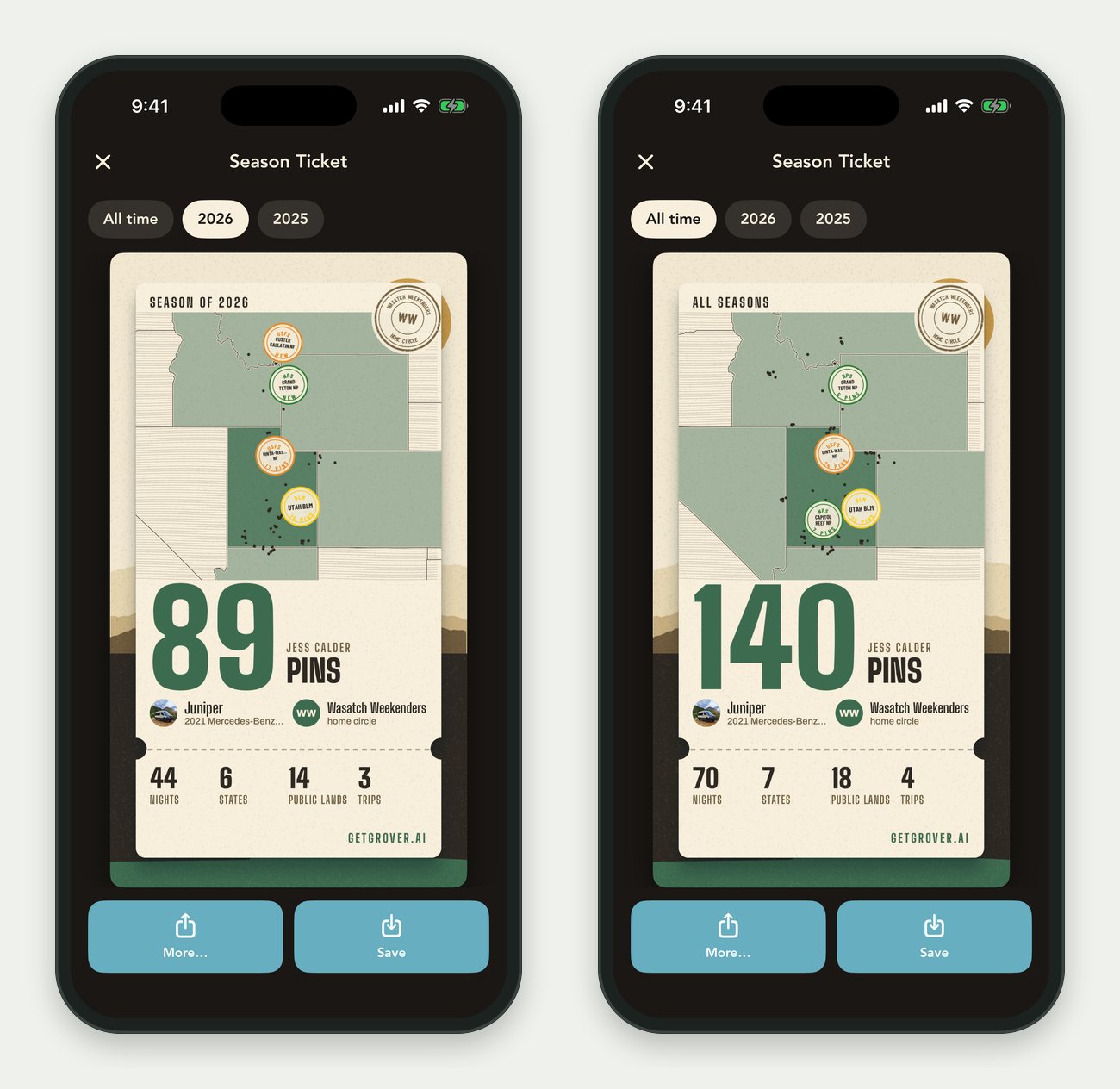
This season on the left. Every season on the right.
A Moment for Every New State
The first time you drop a pin in a new state or a new country, Grover notices. The state fills in on your ticket right there on your phone, and you can share it on the spot.
Your Spots Stay Yours
Nothing on your ticket points to a campsite. Every spot is rounded off to about a kilometer before it ever reaches your phone, so nobody can find a favorite place from your ticket. Nothing is posted anywhere unless you send it yourself.
Campouts, Right on Your Map
When somebody in your circle plans a campout, it shows up on your map as its own marker. Open it and the plan is right there: who's hosting, who's going, and the spot. Say you're in, get directions, or add it to your calendar so it doesn't sneak up on you.
From Your Bucket List to a Trip
Your bucket list holds the places you swore you'd get to. When one of them lines up with a trip you're planning, add it as a stop straight from the bucket list. Pick the trip and it's in. If the spot is already on that trip, Grover says so, so it doesn't land there twice.
Also New
- When somebody in your circle shares a trip, you see the whole route and every stop up front.
- A link to a private circle you're not in yet tells you it's invite only, instead of leading nowhere.
- When Grover asks you a quick question before answering, you can often type your own answer instead of picking one of the choices.
Get Grover 1.3.9
Update the app, open your profile, and share your Season Ticket.